Renew My Domain Name registered through Arosoftware

Renew My Domain Name registered through Arosoftware

This article will guide you through renewing your domain name.

Info
Your domain name must be registered through Arosoftware's domain reseller account with TPP Wholesale. If your domain name is not registered through Arosoftware you will need to contact your domain name registrar to renew your domain

Step-by-Step Instructions

1. Log in to Your Account

  1. Start by going to Domains or Partnerconsole
  2. Enter your Domain Name account ID ( usually included in the update payment method or domain renewal email) and your domain name account passoword  ( Not your Arosoftware CRM login credentials
  1. Click Sign In.

2. Navigate to Overview 

  1. Click on the "Overview" tab
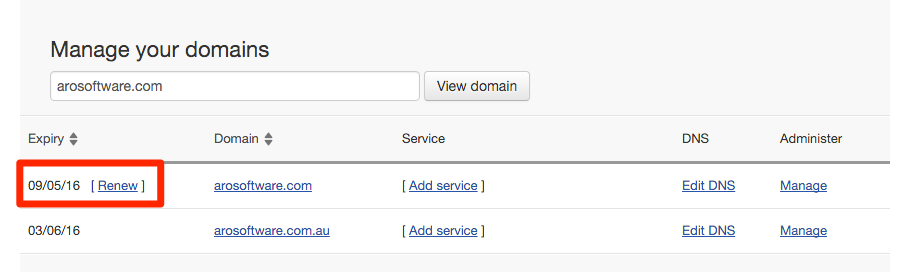
  1. You will now be presented with a list of your domain names
  2. Any domain names that are due for renewal will have the option to click "Renew"
  1. Click "Renew" for the domain name that you would like to renew
  2. Select the amount of years you would like to renew the domain name for
  3. Enter your credit card details
  4. Click the "Place your order" button
  5. Your domain name has now been renewed