Enable caller id
This article will discuss how to enable caller ID in the Aro Software Mobile App.
iPhone/iOS
Follow the steps below to activate it on your iPhone:
Step 1: Open the Aro App Settings
Open the Aro App and tap Settings from the menu.
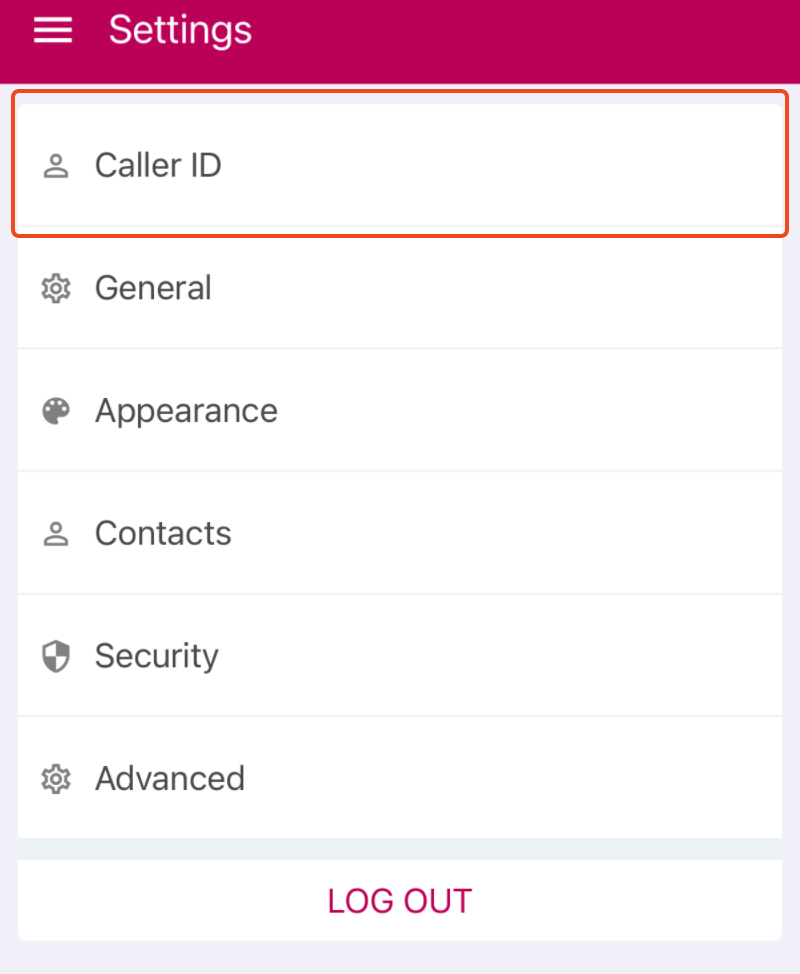
Step 2: Select Caller ID
Inside Settings, tap Caller ID.
Step 3: Tap Enable Caller ID
Tap Enable Caller ID.
You will automatically be taken to the required iPhone settings screen.
Step 4: Turn On Aro Software
In the iPhone Call Blocking & Identification settings, turn on Aro Software.
Once enabled, Caller ID will be active.
Once enabled, Caller ID will be active.
Android
Follow the steps below to activate it on your Phone.
Step 1: Open the Aro App Settings
Open the Aro App and tap Settings from the menu.
Step 2: Select Caller ID
Inside Settings, tap Caller ID.
Step 3: Tap Enable Caller ID
Tap Enable Caller ID.
You will automatically be taken to the required settings screen.
Step 4: Turn On Aro Software
Set Arosoftware software as your default caller ID app;
Once enabled, Caller ID will be active.